layout: docs title: “Laravel Horizon” —
Laravel Horizon
- Introduction
- Installation
- Balancing Strategies
- Upgrading Horizon
- Running Horizon
- Tags
- Notifications
- Metrics
- Deleting Failed Jobs
- Clearing Jobs From Queues
Introduction
[!NOTE] Before digging into Laravel Horizon, you should familiarize yourself with Laravel’s base queue services. Horizon augments Laravel’s queue with additional features that may be confusing if you are not already familiar with the basic queue features offered by Laravel.
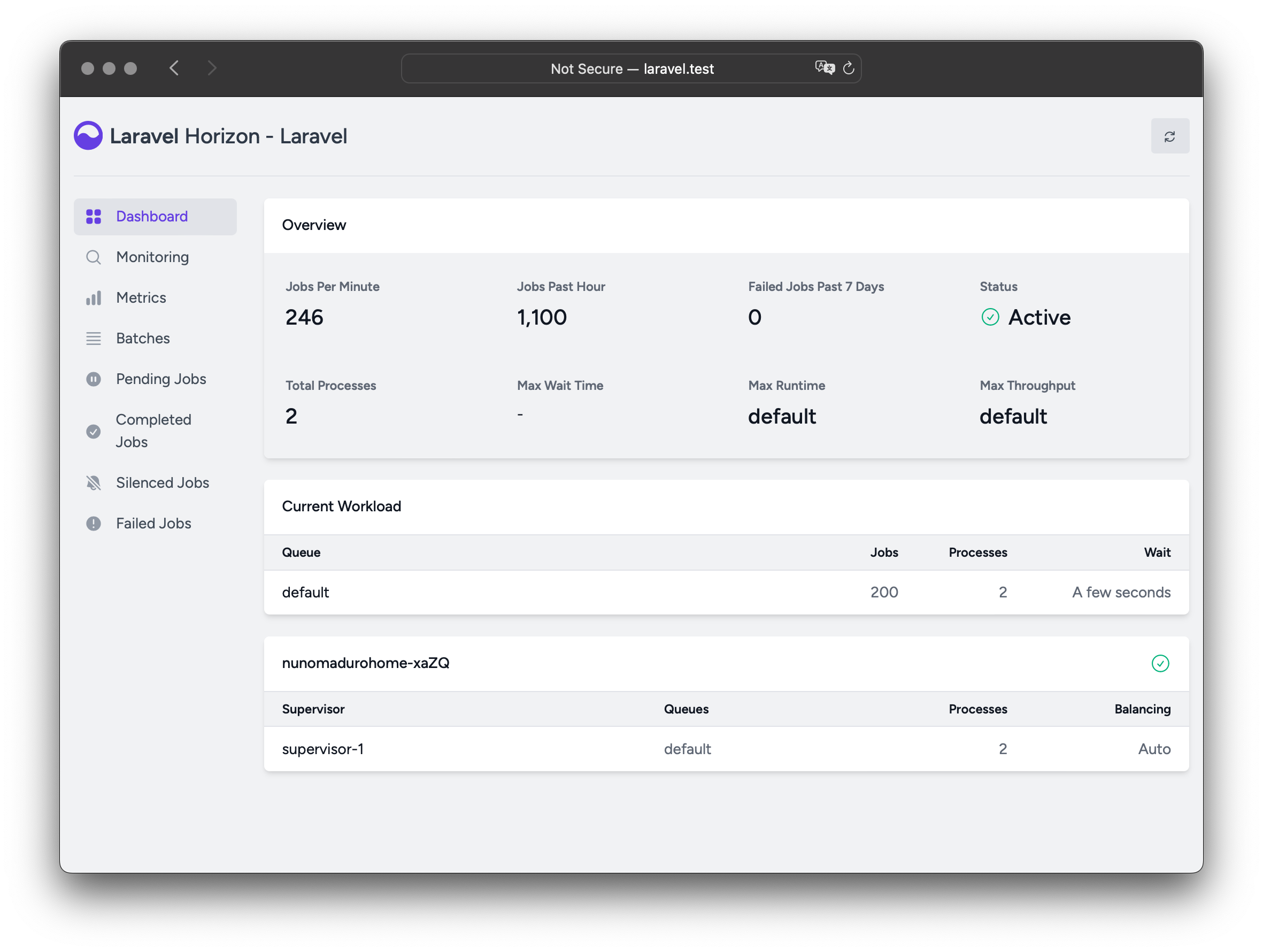
Laravel Horizon provides a beautiful dashboard and code-driven configuration for your Laravel powered Redis queues. Horizon allows you to easily monitor key metrics of your queue system such as job throughput, runtime, and job failures.
When using Horizon, all of your queue worker configuration is stored in a single, simple configuration file. By defining your application’s worker configuration in a version controlled file, you may easily scale or modify your application’s queue workers when deploying your application.
Installation
[!WARNING] Laravel Horizon requires that you use Redis to power your queue. Therefore, you should ensure that your queue connection is set to
redisin your application’sconfig/queue.phpconfiguration file. Horizon is not compatible with Redis Cluster at this time.
You may install Horizon into your project using the Composer package manager:
composer require laravel/horizon
Horizon을 설치한 후, horizon:install Artisan 명령어를 사용하여 자산을 게시하세요:
php artisan horizon:install
Configuration
After publishing Horizon’s assets, its primary configuration file will be located at config/horizon.php. This configuration file allows you to configure the queue worker options for your application. Each configuration option includes a description of its purpose, so be sure to thoroughly explore this file.
[!WARNING] Horizon uses a Redis connection named
horizoninternally. This Redis connection name is reserved and should not be assigned to another Redis connection in thedatabase.phpconfiguration file or as the value of theuseoption in thehorizon.phpconfiguration file.
Content Security Policy (CSP) Nonce
If you would like to use a nonce attribute on the script and style tags used in Horizon views as part of your Content Security Policy, you may use the Horizon::cspNonce method to specify the nonce to use. This method should typically be invoked within middleware so that a new nonce is assigned for each request:
use Closure;
use Illuminate\Http\Request;
use Laravel\Horizon\Horizon;
use Symfony\Component\HttpFoundation\Response;

public function handle(Request $request, Closure $next): Response
{
    Horizon::cspNonce('csp-nonce');

    return $next($request);
}
이 미들웨어를 애플리케이션의 config/horizon.php 설정 파일에 있는 middleware 옵션에 추가할 수 있습니다:
'middleware' => [
    'web',
    App\Http\Middleware\AddHorizonCspNonce::class,
],
환경
설치 후, 가장 먼저 익숙해져야 할 Horizon 기본 구성 옵션은 environments 구성 옵션입니다. 이 구성 옵션은 애플리케이션이 실행되는 환경의 배열이며, 각 환경에 대한 작업자 프로세스 옵션을 정의합니다. 기본적으로 이 항목에는 production 및 local 환경이 포함되어 있습니다. 그러나 필요에 따라 더 많은 환경을 추가할 수 있습니다:
'environments' => [
    'production' => [
        'supervisor-1' => [
            'maxProcesses' => 10,
            'balanceMaxShift' => 1,
            'balanceCooldown' => 3,
        ],
    ],

    'local' => [
        'supervisor-1' => [
            'maxProcesses' => 3,
        ],
    ],
],
다른 일치하는 환경이 없을 때 사용될 와일드카드 환경(*)을 정의할 수도 있습니다:
'environments' => [
    // ...

    '*' => [
        'supervisor-1' => [
            'maxProcesses' => 3,
        ],
    ],
],
When you start Horizon, it will use the worker process configuration options for the environment that your application is running on. Typically, the environment is determined by the value of the APP_ENV environment variable. For example, the default local Horizon environment is configured to start three worker processes and automatically balance the number of worker processes assigned to each queue. The default production environment is configured to start a maximum of 10 worker processes and automatically balance the number of worker processes assigned to each queue.
[!WARNING] You should ensure that the
environmentsportion of yourhorizonconfiguration file contains an entry for each environment on which you plan to run Horizon.
Supervisors
As you can see in Horizon’s default configuration file, each environment can contain one or more “supervisors”. By default, the configuration file defines this supervisor as supervisor-1; however, you are free to name your supervisors whatever you want. Each supervisor is essentially responsible for “supervising” a group of worker processes and takes care of balancing worker processes across queues.
You may add additional supervisors to a given environment if you would like to define a new group of worker processes that should run in that environment. You may choose to do this if you would like to define a different balancing strategy or worker process count for a given queue used by your application.
Maintenance Mode
While your application is in maintenance mode, queued jobs will not be processed by Horizon unless the supervisor’s force option is defined as true within the Horizon configuration file:
'environments' => [
    'production' => [
        'supervisor-1' => [
            // ...
            'force' => true,
        ],
    ],
],
기본값
Horizon의 기본 구성 파일 내에서 defaults 구성 옵션을 확인할 수 있습니다. 이 구성 옵션은 애플리케이션의 감독자에 대한 기본값을 지정합니다. 감독자의 기본 구성 값은 각 환경에 대한 감독자의 구성과 병합되어, 감독자를 정의할 때 불필요한 반복을 피할 수 있습니다.
대시보드 권한
Horizon 대시보드는 /horizon 경로를 통해 액세스할 수 있습니다. 기본적으로 이 대시보드는 local 환경에서만 액세스할 수 있습니다. 그러나 app/Providers/HorizonServiceProvider.php 파일 내에는 권한 게이트 정의가 있습니다. 이 권한 게이트는 비로컬(non-local) 환경에서 Horizon 접근을 제어합니다. 필요에 따라 이 게이트를 수정하여 Horizon 설치에 대한 접근을 제한할 수 있습니다:
/**
 * Register the Horizon gate.
 *
 * This gate determines who can access Horizon in non-local environments.
 */
protected function gate(): void
{
    Gate::define('viewHorizon', function (User $user) {
        return in_array($user->email, [
            'taylor@laravel.com',
        ]);
    });
}
대체 인증 전략
Laravel은 인증된 사용자를 자동으로 게이트 클로저에 주입한다는 점을 기억하세요. 애플리케이션이 IP 제한과 같은 다른 방법으로 Horizon 보안을 제공하고 있다면, Horizon 사용자는 “로그인”할 필요가 없을 수 있습니다. 따라서 Laravel이 인증을 요구하지 않도록 강제하려면 위의 function (User $user) 클로저 서명을 function (User $user = null)로 변경해야 합니다.
최대 작업 시도 횟수
[!NOTE] 이러한 옵션을 조정하기 전에 Laravel의 기본 큐 서비스 및 ‘시도(attempts)’ 개념에 익숙한지 확인하세요.
슈퍼바이저 구성에서 작업이 소비할 수 있는 최대 시도 횟수를 정의할 수 있습니다:
'environments' => [
    'production' => [
        'supervisor-1' => [
            // ...
            'tries' => 10,
        ],
    ],
],
[!NOTE] This option is similar to the
--triesoption when using the Artisan command to process queues.
Adjusting the tries option is essential when using middlewares such as WithoutOverlapping or RateLimited because they consume attempts. To handle this, adjust the tries configuration value either at the supervisor level or by defining the $tries property on the job class.
If you don’t set the tries option, Horizon defaults to a single attempt, unless the job class defines $tries, which takes precedence over the Horizon configuration.
Setting tries or $tries to 0 allows unlimited attempts, which is ideal when the number of attempts is uncertain. To prevent endless failures, you can limit the number of exceptions allowed by setting the $maxExceptions property on the job class.
Job Timeout
Similarly, you can set a timeout value at the supervisor level, which specifies how many seconds a worker process can run a job before it’s forcefully terminated. Once terminated, the job will either be retried or marked as failed, depending on your queue configuration:
'environments' => [
    'production' => [
        'supervisor-1' => [
            // ...
            'timeout' => 60,
        ],
    ],
],
[!WARNING]
auto균형 전략을 사용할 때, Horizon은 진행 중인 작업자를 “매달린 상태(hanging)”로 간주하고 축소(scale down) 중 Horizon 타임아웃 후 강제 종료합니다. 항상 Horizon 타임아웃이 작업 수준(timeout)보다 길도록 설정해야 하며, 그렇지 않으면 작업이 실행 중간에 종료될 수 있습니다. 또한timeout값은config/queue.php구성 파일에 정의된retry_after값보다 항상 몇 초 이상 짧아야 합니다. 그렇지 않으면 작업이 두 번 처리될 수 있습니다.
작업 재시도 대기(Job Backoff)
감독자(supervisor) 수준에서 backoff 값을 정의하여 Horizon이 처리되지 않은 예외(unhandled exception)가 발생한 작업을 재시도하기 전에 얼마 동안 기다려야 하는지 지정할 수 있습니다.
'environments' => [
    'production' => [
        'supervisor-1' => [
            // ...
            'backoff' => 10,
        ],
    ],
],
backoff 값에 배열을 사용하여 ‘지수적’ 백오프를 구성할 수도 있습니다. 이 예제에서 재시도 지연 시간은 첫 번째 재시도의 경우 1초, 두 번째 재시도의 경우 5초, 세 번째 재시도의 경우 10초이며, 이후 재시도가 남아 있는 경우 모든 재시도에 대해 10초가 적용됩니다:
'environments' => [
    'production' => [
        'supervisor-1' => [
            // ...
            'backoff' => [1, 5, 10],
        ],
    ],
],
기타 작업자 옵션
tries, timeout, backoff 외에도, 각 감독자는 작업자 프로세스의 동작 방식과 자동 재시작 시기를 제어하는 여러 다른 옵션을 허용합니다. 장기 실행 프로세스의 경우 작업자를 주기적으로 재시작하는 것은 메모리 누수를 방지하는 데 도움이 되므로 좋은 습관입니다:
'environments' => [
    'production' => [
        'supervisor-1' => [
            // ...
            'memory' => 128,
            'maxJobs' => 1000,
            'maxTime' => 3600,
            'sleep' => 3,
            'rest' => 0,
            'nice' => 0,
        ],
    ],
],
memorydefines the maximum amount of memory, in megabytes, that a single worker process may consume before it is restarted. By default, this value is128.maxJobsdefines the number of jobs a worker should process before restarting. A value of0indicates that workers should not be restarted based on the number of jobs processed. By default, this value is0.maxTimedefines the number of seconds a worker should run before restarting. A value of0indicates that workers should not be restarted based on time. By default, this value is0.sleepdefines the number of seconds a worker should wait when no job is available before polling the queue for new jobs again. By default, this value is3.restdefines the number of seconds to pause between processing each job. By default, this value is0.nicedefines the “niceness” (scheduling priority) of the worker processes. A higher value gives the process a lower priority. By default, this value is0.
Silenced Jobs
Sometimes, you may not be interested in viewing certain jobs dispatched by your application or third-party packages. Instead of these jobs taking up space in your “Completed Jobs” list, you can silence them. To get started, add the job’s class name to the silenced configuration option in your application’s horizon configuration file:
'silenced' => [
    App\Jobs\ProcessPodcast::class,
],
개별 작업 클래스를 음소거하는 것 외에도, Horizon은 태그를 기반으로 작업을 음소거하는 것도 지원합니다. 이는 공통 태그를 공유하는 여러 작업을 숨기고 싶을 때 유용할 수 있습니다:
'silenced_tags' => [
    'notifications'
],
또는, 음소거하려는 작업이 Laravel\Horizon\Contracts\Silenced 인터페이스를 구현할 수 있습니다. 작업이 이 인터페이스를 구현하면 silenced 구성 배열에 존재하지 않더라도 자동으로 음소거됩니다:
use Laravel\Horizon\Contracts\Silenced;

class ProcessPodcast implements ShouldQueue, Silenced
{
    use Queueable;

    // ...
}
Balancing Strategies
Each supervisor can process one or more queues but unlike Laravel’s default queue system, Horizon allows you to choose from three worker balancing strategies: auto, simple, and false.
Auto Balancing
The auto strategy, which is the default strategy, adjusts the number of worker processes per queue based on the current workload of the queue. For example, if your notifications queue has 1,000 pending jobs while your default queue is empty, Horizon will allocate more workers to your notifications queue until the queue is empty.
When using the auto strategy, you may also configure the minProcesses and maxProcesses configuration options:
minProcessesdefines the minimum number of worker processes per queue. This value must be greater than or equal to 1.maxProcessesdefines the maximum total number of worker processes Horizon may scale up to across all queues. This value should typically be greater than the number of queues multiplied by theminProcessesvalue. To prevent the supervisor from spawning any processes, you may set this value to 0.
For example, you may configure Horizon to maintain at least one process per queue and scale up to a total of 10 worker processes:
'environments' => [
    'production' => [
        'supervisor-1' => [
            'connection' => 'redis',
            'queue' => ['default', 'notifications'],
            'balance' => 'auto',
            'autoScalingStrategy' => 'time',
            'minProcesses' => 1,
            'maxProcesses' => 10,
            'balanceMaxShift' => 1,
            'balanceCooldown' => 3,
        ],
    ],
],
The autoScalingStrategy configuration option determines how Horizon will assign more worker processes to queues. You can choose between three strategies:
- The
timestrategy will assign workers based on the total estimated amount of time it will take to clear the queue. - The
sizestrategy will assign workers based on the total number of jobs on the queue. - The
logstrategy will assign workers based on the logarithm of the number of jobs on the queue. This prevents a significantly larger queue from receiving a disproportionately large share of workers.
The balanceMaxShift and balanceCooldown configuration values determine how quickly Horizon will scale to meet worker demand. In the example above, a maximum of one new process will be created or destroyed every three seconds. You are free to tweak these values as necessary based on your application’s needs.
Queue Priorities and Auto Balancing
When using the auto balancing strategy, Horizon does not enforce strict priority between queues. The order of queues in a supervisor’s configuration does not affect how worker processes are assigned. Instead, Horizon relies on the selected autoScalingStrategy to dynamically allocate worker processes based on queue load.
For example, in the following configuration, the high queue is not prioritized over the default queue, despite appearing first in the list:
'environments' => [
    'production' => [
        'supervisor-1' => [
            // ...
            'queue' => ['high', 'default'],
            'minProcesses' => 1,
            'maxProcesses' => 10,
        ],
    ],
],
큐 간의 상대적인 우선순위를 강제해야 하는 경우, 여러 감독자를 정의하고 처리 자원을 명시적으로 할당할 수 있습니다:
'environments' => [
    'production' => [
        'supervisor-1' => [
            // ...
            'queue' => ['default'],
            'minProcesses' => 1,
            'maxProcesses' => 10,
        ],
        'supervisor-2' => [
            // ...
            'queue' => ['images'],
            'minProcesses' => 1,
            'maxProcesses' => 1,
        ],
    ],
],
이 예제에서 기본 queue는 최대 10개의 프로세스로 확장할 수 있는 반면, images 큐는 한 프로세스로 제한됩니다. 이 구성은 큐가 독립적으로 확장될 수 있도록 보장합니다.
[!NOTE] 리소스를 많이 사용하는 작업을 디스패치할 때는 제한된
maxProcesses값을 가진 전용 큐에 할당하는 것이 가장 좋습니다. 그렇지 않으면 이러한 작업이 과도한 CPU 자원을 소비하여 시스템을 과부하시킬 수 있습니다.
단순 균형
simple 전략은 지정된 큐 전반에 작업 프로세스를 고르게 분배합니다. 이 전략을 사용하면 Horizon은 작업 프로세스 수를 자동으로 확장하지 않습니다. 대신 고정된 수의 프로세스를 사용합니다:
'environments' => [
    'production' => [
        'supervisor-1' => [
            // ...
            'queue' => ['default', 'notifications'],
            'balance' => 'simple',
            'processes' => 10,
        ],
    ],
],
위의 예에서 Horizon은 각 큐에 5개의 프로세스를 할당하여 총 10개를 균등하게 나눕니다.
각 큐에 할당되는 워커 프로세스의 수를 개별적으로 제어하고 싶다면, 여러 개의 슈퍼바이저를 정의할 수 있습니다:
'environments' => [
    'production' => [
        'supervisor-1' => [
            // ...
            'queue' => ['default'],
            'balance' => 'simple',
            'processes' => 10,
        ],
        'supervisor-notifications' => [
            // ...
            'queue' => ['notifications'],
            'balance' => 'simple',
            'processes' => 2,
        ],
    ],
],
이 구성에서는 Horizon이 default 큐에 10개의 프로세스를 할당하고 notifications 큐에 2개의 프로세스를 할당합니다.
균형 없음
balance 옵션이 false로 설정되면 Horizon은 Laravel의 기본 큐 시스템과 유사하게 나열된 순서대로 큐를 엄격하게 처리합니다. 하지만 작업이 쌓이기 시작하면 여전히 작업자 프로세스 수를 확장합니다:
'environments' => [
    'production' => [
        'supervisor-1' => [
            // ...
            'queue' => ['default', 'notifications'],
            'balance' => false,
            'minProcesses' => 1,
            'maxProcesses' => 10,
        ],
    ],
],
In the example above, jobs in the default queue are always prioritized over jobs in the notifications queue. For instance, if there are 1,000 jobs in default and only 10 in notifications, Horizon will fully process all default jobs before handling any from notifications.
You can control Horizon’s ability to scale worker processes using the minProcesses and maxProcesses options:
minProcessesdefines the minimum number of worker processes in total. This value must be greater than or equal to 1.maxProcessesdefines the maximum total number of worker processes Horizon may scale up to.
Upgrading Horizon
When upgrading to a new major version of Horizon, it’s important that you carefully review the upgrade guide.
Running Horizon
Once you have configured your supervisors and workers in your application’s config/horizon.php configuration file, you may start Horizon using the horizon Artisan command. This single command will start all of the configured worker processes for the current environment:
php artisan horizon
Horizon 프로세스를 일시 중지하고 horizon:pause 및 horizon:continue Artisan 명령을 사용하여 작업 처리를 계속하도록 지시할 수 있습니다:
php artisan horizon:pause

php artisan horizon:continue
horizon:pause-supervisor 및 horizon:continue-supervisor Artisan 명령을 사용하여 특정 Horizon 감독자를 일시 중지하고 계속할 수도 있습니다:
php artisan horizon:pause-supervisor supervisor-1

php artisan horizon:continue-supervisor supervisor-1
horizon:status Artisan 명령어를 사용하여 Horizon 프로세스의 현재 상태를 확인할 수 있습니다:
php artisan horizon:status
다음 horizon:supervisor-status Artisan 명령을 사용하여 특정 Horizon 감독자의 현재 상태를 확인할 수 있습니다:
php artisan horizon:supervisor-status supervisor-1
horizon:terminate Artisan 명령을 사용하여 Horizon 프로세스를 우아하게 종료할 수 있습니다. 현재 처리 중인 모든 작업은 완료된 후 Horizon 실행이 중지됩니다:
php artisan horizon:terminate
Horizon 자동 재시작
로컬 개발 중에는 horizon:listen 명령어를 실행할 수 있습니다. horizon:listen 명령어를 사용할 때는 업데이트된 코드를 다시 로드하고 싶을 때 Horizon을 수동으로 재시작할 필요가 없습니다. 이 기능을 사용하기 전에 로컬 개발 환경에 Node가 설치되어 있는지 확인해야 합니다. 또한 프로젝트 내에 Chokidar 파일 감시 라이브러리를 설치해야 합니다:
npm install --save-dev chokidar
Chokidar가 설치되면 horizon:listen 명령어를 사용하여 Horizon을 시작할 수 있습니다:
php artisan horizon:listen
Docker나 Vagrant 내에서 실행할 때는 --poll 옵션을 사용해야 합니다:
php artisan horizon:listen --poll
애플리케이션의 config/horizon.php 구성 파일 내에서 watch 구성 옵션을 사용하여 감시할 디렉토리와 파일을 구성할 수 있습니다:
'watch' => [
    'app',
    'bootstrap',
    'config',
    'database',
    'public/**/*.php',
    'resources/**/*.php',
    'routes',
    'composer.lock',
    '.env',
],
Horizon 배포
Horizon을 애플리케이션의 실제 서버에 배포할 준비가 되었을 때, php artisan horizon 명령을 모니터링하고 예기치 않게 종료될 경우 재시작하도록 프로세스 모니터를 설정해야 합니다. 걱정하지 마세요, 아래에서 프로세스 모니터를 설치하는 방법에 대해 논의할 것입니다.
애플리케이션 배포 과정 동안, Horizon 프로세스가 종료되도록 지시하여 프로세스 모니터가 이를 재시작하고 코드 변경 사항을 반영받도록 해야 합니다:
php artisan horizon:terminate
Supervisor 설치
Supervisor는 Linux 운영 체제용 프로세스 모니터이며, horizon 프로세스 실행이 중단되면 자동으로 재시작합니다. Ubuntu에 Supervisor를 설치하려면 다음 명령어를 사용할 수 있습니다. Ubuntu를 사용하지 않는 경우, 사용 중인 운영 체제의 패키지 관리자를 사용하여 Supervisor를 설치할 수 있습니다:
sudo apt-get install supervisor
[!NOTE] 만약 직접 Supervisor를 설정하는 것이 벅차게 느껴진다면, Laravel 애플리케이션의 백그라운드 프로세스를 관리할 수 있는 Laravel Cloud를 사용하는 것을 고려해보세요.
Supervisor 설정
Supervisor 설정 파일은 일반적으로 서버의 /etc/supervisor/conf.d 디렉토리에 저장됩니다. 이 디렉토리 안에 Supervisor가 프로세스를 어떻게 모니터링할지 지시하는 구성 파일을 원하는 만큼 생성할 수 있습니다. 예를 들어, horizon 프로세스를 시작하고 모니터링하는 horizon.conf 파일을 만들어봅시다:
[program:horizon]
process_name=%(program_name)s
command=php /home/forge/example.com/artisan horizon
autostart=true
autorestart=true
user=forge
redirect_stderr=true
stdout_logfile=/home/forge/example.com/horizon.log
stopwaitsecs=3600
슈퍼바이저(Supervisor) 구성을 정의할 때, stopwaitsecs의 값이 가장 오래 실행되는 작업이 소비하는 초(seconds) 수보다 큰지 확인해야 합니다. 그렇지 않으면 슈퍼바이저가 작업을 완료하기 전에 작업을 종료할 수 있습니다.
[!WARNING] 위의 예제는 Ubuntu 기반 서버에 유효하지만, 슈퍼바이저 구성 파일의 위치와 파일 확장자는 다른 운영 체제 서버에서 다를 수 있습니다. 자세한 내용은 서버 문서를 참조하십시오.
슈퍼바이저 시작하기
구성 파일이 생성되면, 다음 명령어를 사용하여 슈퍼바이저 구성을 업데이트하고 모니터링되는 프로세스를 시작할 수 있습니다.
sudo supervisorctl reread

sudo supervisorctl update

sudo supervisorctl start horizon
[!NOTE] Supervisor 실행에 대한 자세한 정보는 Supervisor 문서를 참조하세요.
태그
Horizon을 사용하면 메일을 보내는 작업, 방송 이벤트, 알림 및 큐에 들어간 이벤트 리스너를 포함한 작업에 “태그”를 지정할 수 있습니다. 실제로 Horizon은 작업에 연결된 Eloquent 모델에 따라 대부분의 작업에 지능적이고 자동으로 태그를 지정합니다. 예를 들어, 다음 작업을 살펴보세요:
<?php

namespace App\Jobs;

use App\Models\Video;
use Illuminate\Contracts\Queue\ShouldQueue;
use Illuminate\Foundation\Queue\Queueable;

class RenderVideo implements ShouldQueue
{
    use Queueable;

    /**
     * Create a new job instance.
     */
    public function __construct(
        public Video $video,
    ) {}

    /**
     * Execute the job.
     */
    public function handle(): void
    {
        // ...
    }
}
만약 이 작업이 id 속성이 1인 App\Models\Video 인스턴스로 큐에 추가되면, 자동으로 App\Models\Video:1 태그를 받게 됩니다. 이는 Horizon이 작업의 속성에서 Eloquent 모델을 검색하기 때문입니다. Eloquent 모델이 발견되면, Horizon은 모델의 클래스 이름과 기본 키를 사용하여 작업에 지능적으로 태그를 지정합니다:
use App\Jobs\RenderVideo;
use App\Models\Video;

$video = Video::find(1);

RenderVideo::dispatch($video);
수동으로 작업에 태그 지정하기
큐에 넣을 수 있는 객체 중 하나에 대한 태그를 수동으로 정의하려는 경우, 클래스에 tags 메서드를 정의할 수 있습니다:
class RenderVideo implements ShouldQueue
{
    /**
     * Get the tags that should be assigned to the job.
     *
     * @return array<int, string>
     */
    public function tags(): array
    {
        return ['render', 'video:'.$this->video->id];
    }
}
이벤트 리스너 수동 태깅
큐에 대기 중인 이벤트 리스너의 태그를 가져올 때, Horizon은 이벤트 인스턴스를 tags 메서드에 자동으로 전달하여 태그에 이벤트 데이터를 추가할 수 있도록 합니다:
class SendRenderNotifications implements ShouldQueue
{
    /**
     * Get the tags that should be assigned to the listener.
     *
     * @return array<int, string>
     */
    public function tags(VideoRendered $event): array
    {
        return ['video:'.$event->video->id];
    }
}
알림
[!WARNING] Horizon에서 Slack 또는 SMS 알림을 보내도록 구성할 때, 관련 알림 채널에 대한 사전 요구사항을 검토해야 합니다.
대기 시간이 긴 큐가 있을 때 알림을 받고 싶다면, Horizon::routeMailNotificationsTo, Horizon::routeSlackNotificationsTo, Horizon::routeSmsNotificationsTo 메서드를 사용할 수 있습니다. 애플리케이션의 App\Providers\HorizonServiceProvider의 boot 메서드에서 이 메서드들을 호출할 수 있습니다:
/**
 * Bootstrap any application services.
 */
public function boot(): void
{
    parent::boot();

    Horizon::routeSmsNotificationsTo('15556667777');
    Horizon::routeMailNotificationsTo('example@example.com');
    Horizon::routeSlackNotificationsTo('slack-webhook-url', '#channel');
}
알림 대기 시간 임계값 구성
애플리케이션의 config/horizon.php 구성 파일 내에서 ‘오래 대기’로 간주되는 시간을 몇 초로 설정할지 구성할 수 있습니다. 이 파일 내의 waits 구성 옵션을 사용하면 각 연결/큐 조합에 대한 오래 대기 임계값을 제어할 수 있습니다. 정의되지 않은 연결/큐 조합은 오래 대기 임계값이 기본적으로 60초로 설정됩니다:
'waits' => [
    'redis:critical' => 30,
    'redis:default' => 60,
    'redis:batch' => 120,
],
큐의 임계값을 0로 설정하면 해당 큐의 장기 대기 알림이 비활성화됩니다.
지표
Horizon에는 작업 및 큐 대기 시간과 처리량에 대한 정보를 제공하는 지표 대시보드가 포함되어 있습니다. 이 대시보드를 채우기 위해, 애플리케이션의 routes/console.php 파일에서 Horizon의 snapshot Artisan 명령이 5분마다 실행되도록 구성해야 합니다:
use Illuminate\Support\Facades\Schedule;

Schedule::command('horizon:snapshot')->everyFiveMinutes();
애플리케이션의 config/horizon.php 구성 파일에서 metrics.trim_snapshots 옵션을 사용하여 Horizon이 메트릭 그래프에 대해 유지하는 스냅샷 수를 구성할 수 있습니다. 이 옵션은 스냅샷의 수를 제한할 뿐 그 연령을 제한하지 않기 때문에, 보존 기간은 horizon:snapshot 명령이 실행되는 빈도에 따라 달라집니다:
'metrics' => [
    'trim_snapshots' => [
        'job' => 24,
        'queue' => 24,
    ],
],
모든 메트릭 데이터를 삭제하려면 horizon:clear-metrics Artisan 명령어를 실행할 수 있습니다:
php artisan horizon:clear-metrics
실패한 작업 삭제
실패한 작업을 삭제하려면 horizon:forget 명령어를 사용할 수 있습니다. horizon:forget 명령어는 실패한 작업의 ID 또는 UUID를 유일한 인수로 받습니다:
php artisan horizon:forget 5
모든 실패한 작업을 삭제하려면 horizon:forget 명령에 --all 옵션을 제공할 수 있습니다:
php artisan horizon:forget --all
큐에서 작업 삭제
애플리케이션의 기본 큐에서 모든 작업을 삭제하려면, horizon:clear Artisan 명령어를 사용하면 됩니다:
php artisan horizon:clear
특정 큐에서 작업을 삭제하려면 queue 옵션을 제공할 수 있습니다:
php artisan horizon:clear --queue=emails